Includes:
- Base Software
- MultiCam Capture 2.0 Lite
- Free fonts
- Painter Essentials 8
- PhotoMirage Express
- Highlight Reel
- Sea-to-Sky Workspace
- Corel Creative Collection
Create something incredible with photo editing power and intelligence for results as unique as your images.
Behind every show-stopping image is real intelligence. Highly effective features and tools powered by artificial intelligence and machine learning technology make creating something truly original, and achievable with this photo editing software.
Make every shot your best shot with PaintShop Pro 2023 Ultimate, an advanced photo editor delivering a versatile range of pro-level editing and graphic design tools, time-saving AI-based solutions, and a bonus pack of premium software.

Features:
- Powerful photo editing tools
Depend on a versatile range of professional tools in this image editing software to make every shot, the best shot.
- Essential tools
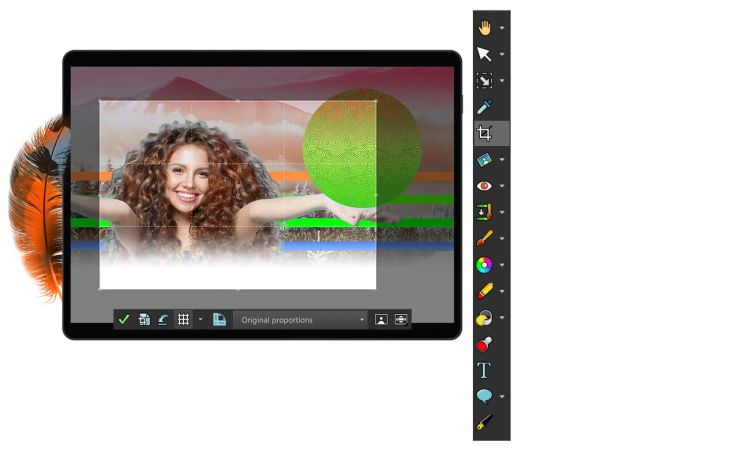
Easily crop areas of your photo to alter the focus using composition guides, Golden Ratio and Rule of Thirds. Resize with ease using one of several presets, or resize by pixels, percentage or print size. Restore and repair old photos with the Scratch Remover and Fade Correction tools to enhance contrast and color to faded photos.
- Adjustment tools
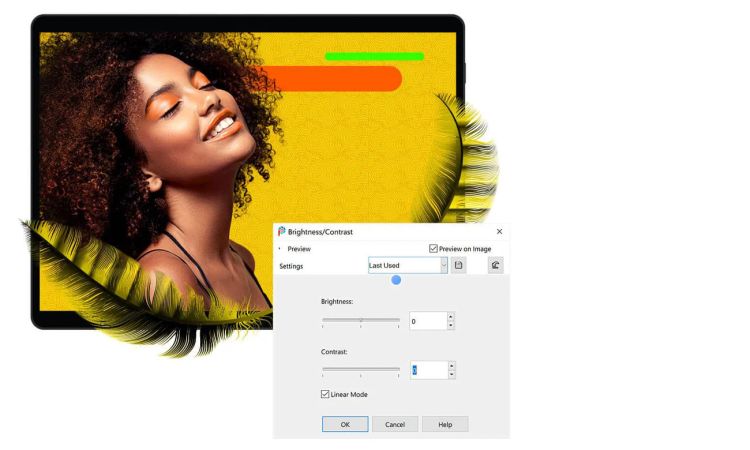
Alter your photos using a wide variety of powerful adjustment tools, including Brightness and Contrast, Fill Light and Clarity, Fade Correction, White Balance, Hue and Saturation, Noise Removal, Vibrancy, Sharpening, color correction, and tonal levels and curves.
- Selection and Correction tools
Isolate the area you want to select with a variety of Selection tools and enhance your selection with the Refine Brush. Automatically correct distortions, vignetting and chromatic aberrations in your photos with Lens Correction tools and use the Straighten tool to fix a crooked horizon, or the Perspective Correction tool to make a photo appear as though it was taken from a different angle.
- RAW, HDR, and 360° camera support
Advance your editing capabilities of RAW files using the pro-level tools of AfterShot Lab, now available in PaintShop Pro. Combine several photos of the same scene with different exposures to create one stunning HDR photo. Edit photographs taken with a 360° degree camera by straightening a photo with rotation or make it appear levelled. Remove and automatically replace a tripod or produce an interesting ‘planet-like’ effect.
- Time saving tools
Reduce repetition and accelerate complex photo-editing actions with Scripts. Record a series of edits as a script to apply to any photo, anytime. Automate edits on multiple photos at once with batch processing like adding a watermark, picture frame, or simply resizing.