
Welcome home, player!

By clicking Continue with Google or Facebook, you agree to G2Play's Terms & Conditions and Privacy Policy, also to NFT Terms & Conditions and NFT Privacy Policy.

New to G2Play?
Sign up now!
  • FAQ
5.0
(11 Reviews)
Platform
Other

Adobe Premiere Elements 2025 (3 Years / 1 PC/MAC)

Promoted offer
The offer displayed at the top of the product page is a promoted offer of a seller who paid for promotion. Other offers are sorted based on the price (from low to high).
Sold by
GamingWorld
98.82% of 3039603 ratings are superb!
2 more offers available starting from
$102.95
Your transaction is secure
We're working hard to protect the security of your payments. We have a dedicated Fraud Prevention and Response Department working 24/7 to ensure safe transactions. We have implemented custom systems to screen out potential scammers and we have partnered with Ravelin, one of the world's best fraud prevention platforms. We don't share your payment details with third-party sellers and we don't sell your information with others.
Key activation
Languages

Premiere Elements 2025

Shareworthy videos. Easier than ever.
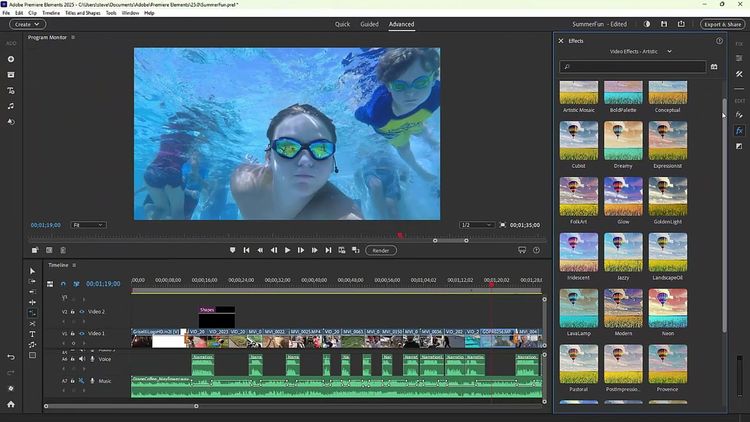
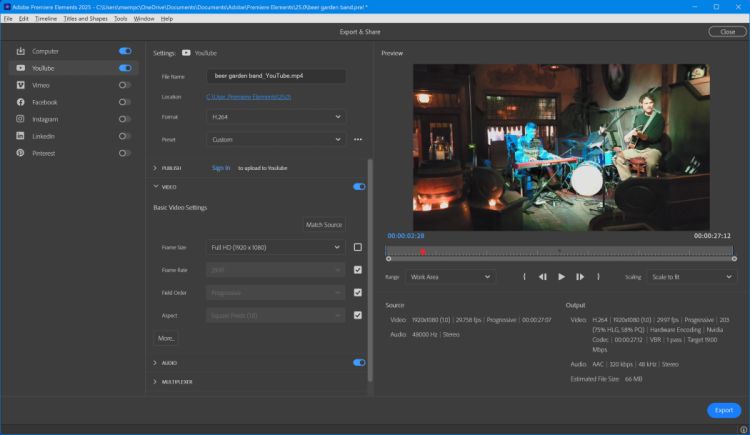
With AI and automation working their magic in the background, it’s easy to trim, resize, add creative flair, and turn simple clips into shareworthy videos. Explore new ways to design titles with stylish text, correct and transform colors, edit faster, and access free Adobe Stock title templates. Learn new skills along the way. Add eye-catching effects and transitions. Share your best moments in Highlight Reels, slideshows, collages, and social post templates. Effortlessly organize it all. And do more on the go with the web and mobile companion apps (beta).


Effortless organization.
Effortlessly organize your videos with automatic sorting and backup, and find videos fast with automatic tagging, curation, and face recognition.

  • Auto-sync your photos and videos to enjoy them anywhere (beta). Sync across the Elements Organizer and the web and mobile companion apps.
  • Find photos faster with auto-tagging (POWERED BY AI). Smart Tags are added to your photos based on subjects like sunsets and birthdays, and the people in your photos are also recognized so it’s easy to tag and find them later.
  • Find your best photos with Auto Curate (POWERED BY AI). Your photos are automatically curated based on quality, faces, subjects, Smart Tags, and more, so you don’t have to search for the standouts.

Do more on the go.
Do more with your videos and photos on the go using web and mobile companion apps (beta) that sync with Elements on your desktop.

  • UPDATE Add creative flair in the web companion app (beta). Add overlays that move or frame your subject to create depth. Change backgrounds automatically, enhance with patterns, adjust your photos’ looks, and more.
  • UPDATE Do one-click fixes and more in the mobile companion app (beta). Add fun pattern overlays, and use sliders to adjust light, color, and effects. Crop, straighten, remove backgrounds, improve tone, and more with one-click Quick Actions. Plus, bring in pics from a wide range of files and folders on your phone, and view creations from Elements Web.

Features:

  • NEW - Get your colors just right.
    Ensure that clouds, snow, and other white details look truly white using the new White Balance tool, and make precise color and brightness adjustments to your whole scene or specific areas using new color correction Curves.
  • NEW - Create dynamic titles with more text controls.
    Choose from new eye-catching templates, and style your text to match your story with new controls for alignment, size, direction, color, spacing, and more.
  • Auto-reframe your subject.
    Easily resize your videos for social media and more while keeping the most important part of the action in the frame.
  • Show off the good stuff with automatic Highlight Reels.
    |AI and automation quickly turn your clips into videos that draw people in by focusing on motion, close-ups, and your highest-quality footage.