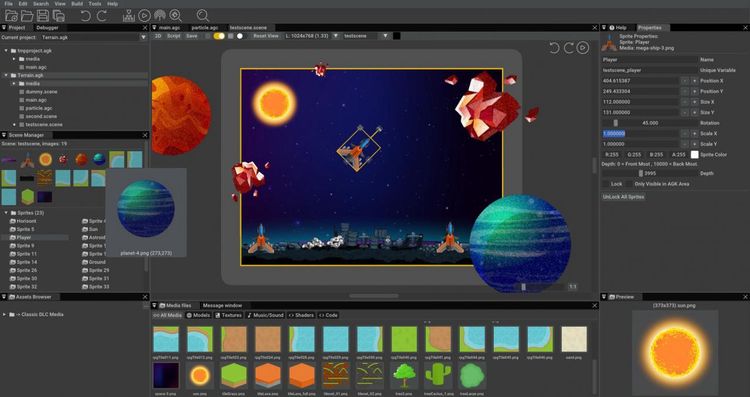
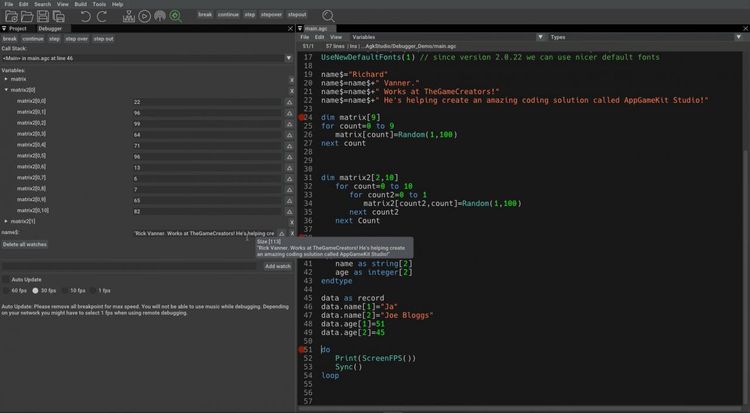
Release date: 24/07/2019AppGameKit Studio is a fully featured game development tool set. We’ve re-imagined the game development user interface with an all-in-one work space. You can now quickly drag & drop assets to visualise your scenes, code with AppGameKit Script, easily browse app media, run live debugging sessions, access online help and lots more.
AppGameKit Studio allows you, in a few easy clicks, to quickly publish your games to Steam, iOS, Android and a host of other places! Get your apps and games in front of millions of potential players and make yours the next big hit.
Features
- IDE
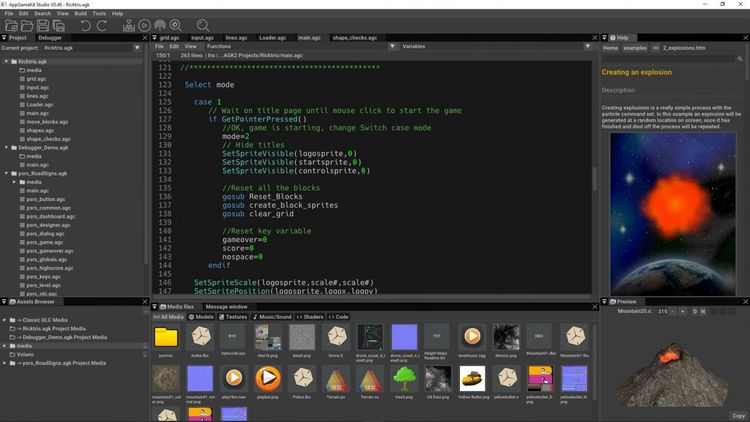
Designed and built from the ground up to fully support the AppGameKit Script language - edit multiple projects at any one time and set the layout that suits your workflow
- EDITING
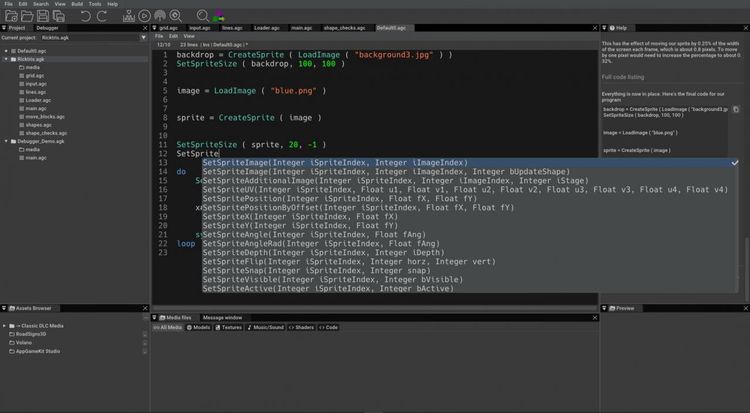
Powerful editing tools help you code fast and efficiently - such as auto complete command help to the handy sandbox mode where you can quickly try out code tests
- COMPILING
With a fast development and testing environment, you can code your apps once and then compile them almost instantly for testing on desktop or broadcast over wifi to your mobile devices
- HELP
Help is always at hand with the new integrated help window. The integrated search makes it a cinch to find the advice you need from the hundreds of documented commands. You can even drag & drop commands from help directly into your source code space!
- DEBUGGER
Easily find and fix bugs by using the new live debugging features and the extensive watch list support
- ASSET BROWSER
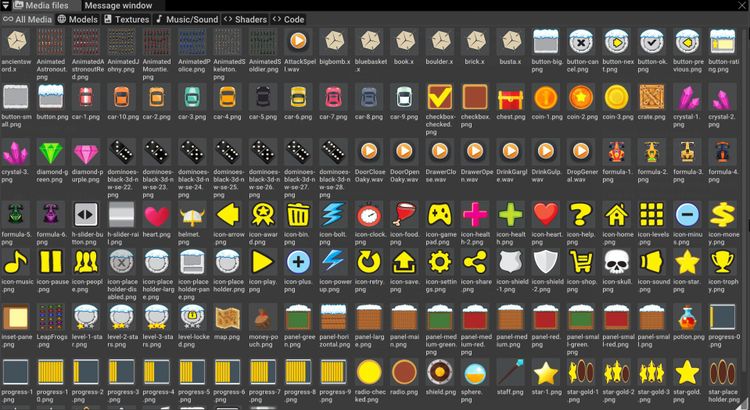
Visualise and manage your media assets with the asset browser window - view media such as images, 3D models and text files and listen to sound and music files
- SHADERS
Deeper shader integration with editing and testing of shaders within the editor - OpenGL shaders and Vulkan shaders are fully supported
- VULKAN
A new Vulkan rendering graphics engine will bring improved speed performance to your apps and will bring improved speed performance, modernisation and future proofing to your apps
- MULTI-PLATFORM
Develop your apps on PC, Mac or Linux devices and then export them to run on PC, Mac, Linux, iOS and Android platforms.
- SCENE EDITOR
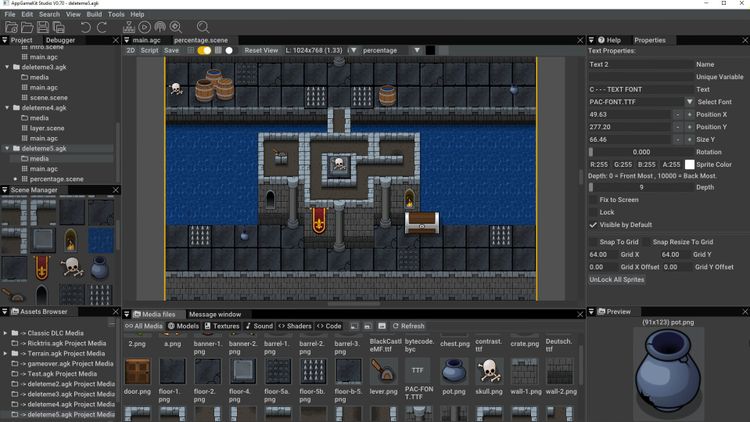
With an integrated Scene Editor, it’s a cinch to drag & drop 2D assets to build up and visualise the scenes in your app. It takes the guess work out of coding and shows you instantly a true representation of how your app will look across multiple device resolutions