Creativity and technical brilliance in HDR
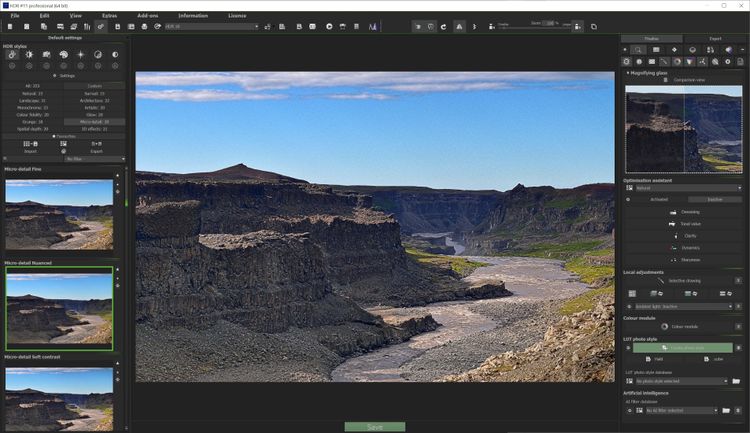
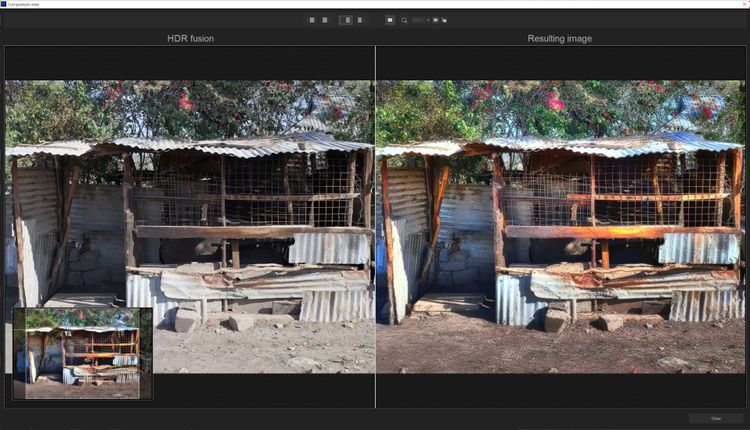
Ashampoo HDR #11 creates stunning HDR images with maximum dynamic range, bringing out the very best in your photos. With newly developed HDR styles, state-of-the-art AI algorithms, and innovative tools, you’ll achieve results that meet even the highest demands. Enjoy greater depth, finer details, and maximum control over your editing–all in an intuitive, faster program.
- Completely reworked HDR styles
- Two new HDR styles: Monochrome and Monochrome Depth
- Two additional user-defined styles
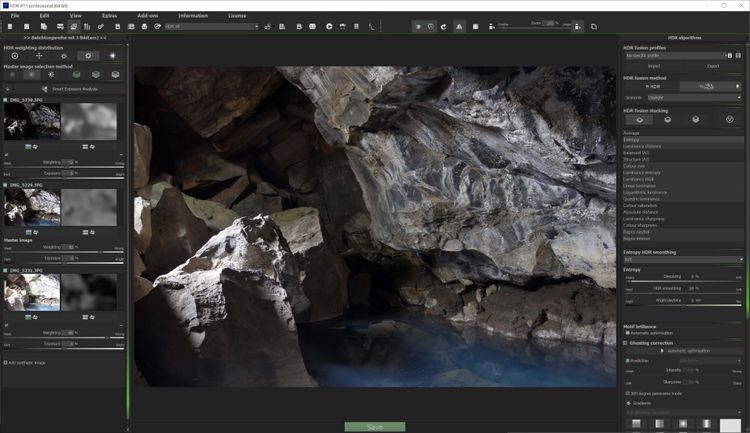
- Enhanced ghosting correction using advanced motion detection
- New watermark module for transparent logos
- New 3D image effects in Expert Mode
- Newly trained AI for HDR fusion algorithms
- Selective painting with contour-sensitive brush
- 157 AI-optimized presets across 12 categories
- Real-time color module with 10 layers
- Super-sampling for flawless contours
- Virtual micro-details and film grain
- Integrated sensor error correction
- Focus-peaking analysis
- Redesigned interface with improved readability
- Faster startup and up to 50% quicker image processing
- New shortcuts, e.g. (Shift+S) for JPEG quick save
Superior quality with refined HDR styles
Great HDR images demand great styles. In HDR #11, all HDR styles have been completely overhauled and optimized with newly trained neural networks. We've also added two brand-new styles, “Monochrome” and “Monochrome Depth,” which turn your photos into expressive works of art. And with extended user-defined styles, you now have the freedom to permanently save your own creative looks.
Maximum precision with intelligent corrections
Movement during shots is one of the biggest challenges in HDR photography. Our new ghosting correction method, based on directional color channel analysis, removes image ghosting more accurately than ever. Furthermore, you can now use selective painting with a contour-sensitive brush for precise manual adjustments that perfectly separate image foregrounds from backgrounds.
Limitless creativity
Expert Mode offers a wide range of new options to creatively enhance your photos. Benefit from 11 additional 3D effects, AI-powered effects, and many more filters that add variety and inspiration to your editing. With the new real-time color module, super-sampling for smooth contours, as well as virtual micro-details and grain, you’ll give your photos a unique, professional touch. Once your work is complete, the transparent logos from the new watermark module will help protect your creations.
Faster, smoother, more efficient
HDR #11 doesn’t just deliver better results, it also improves speed and usability. The program now starts twice as fast, image processing is up to 50% quicker, and the redesigned interface ensures clear, intuitive navigation. Handy shortcuts like quick save (Shift+S) and the new category bar make your workflow smoother and more efficient than ever.